An iPhone backup isn't made to be read. Finder and iTunes save it as thousands of files with scrambled names, indexed by a database called Manifest.db. You can't click through it, and Apple's only way back in is to restore it to a phone, which replaces whatever is on that phone.
OpenExtract reads that index and puts the backup back together, so you see it much the way you saw it on the phone: conversations as chat bubbles, photos in their albums, voicemails you can play.
What you can look at
- Messages. iMessage and SMS conversations, group chats labeled by who said what, and the photos sent in them.
- WhatsApp. Chats and groups with their photos, voice messages, replies and calls, if WhatsApp was on the phone.
- Photos and videos. The camera roll, with favorites starred and the albums made on the phone.
- Contacts. The address book, with names, companies, numbers and emails.
- Call history. Every call with its date, length and direction, including FaceTime.
- Notes. Apple Notes, ready to read.
- Voicemail. Saved voicemails with who called and when. Play them right there.
- Podcasts. The shows followed in Apple Podcasts and every episode played. Move them to another podcast app.
- Safari history. The sites visited, from encrypted backups.
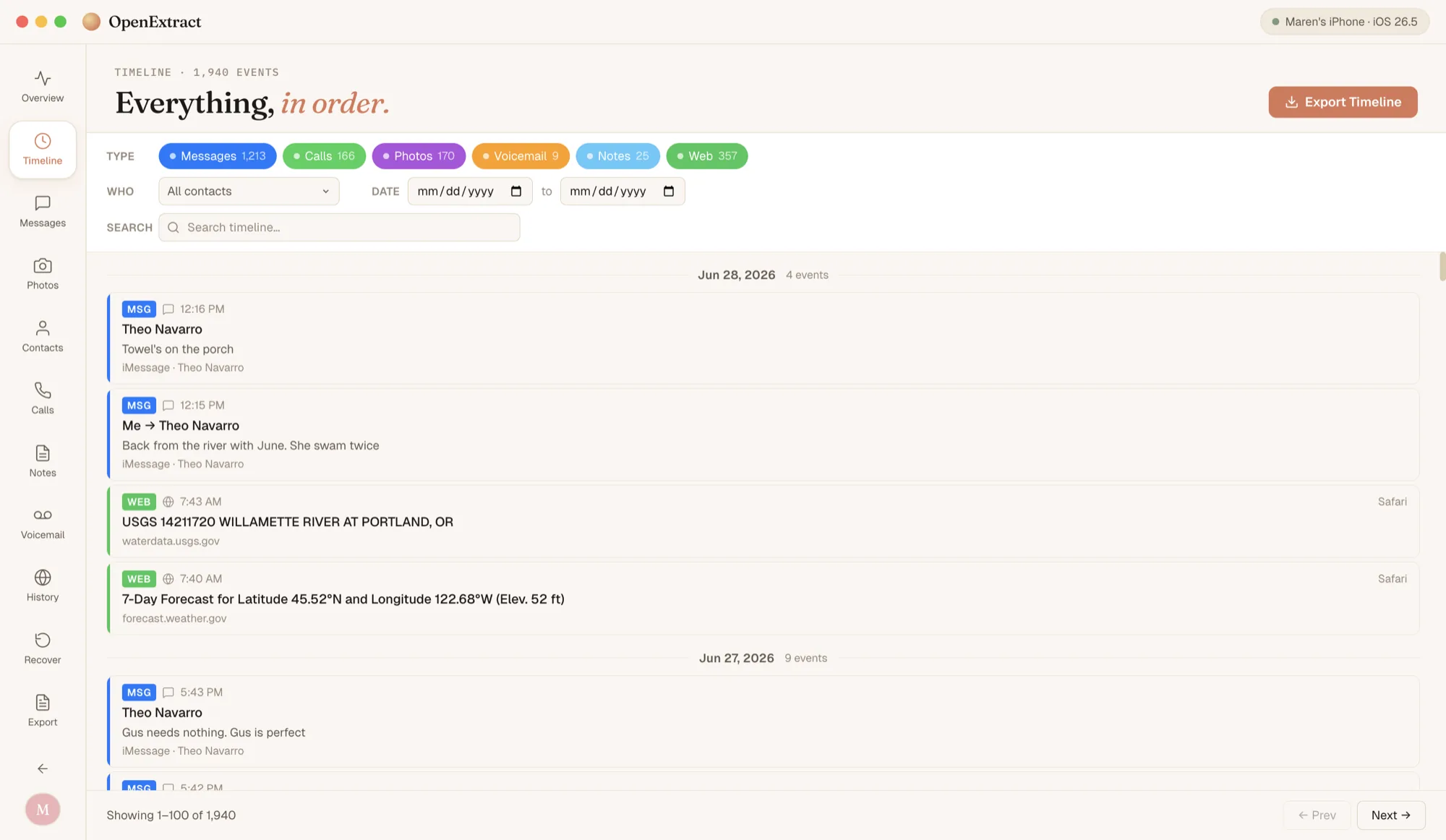
- Timeline. Messages, WhatsApp, calls, photos, voicemails, notes and Safari history in one list by date, filtered by type, person or date range.
When you want files instead of a screen, export conversations and WhatsApp chats as PDF, HTML, CSV or plain text, contacts as vCards, notes as text or PDF, voicemails as audio, and podcast subscriptions as OPML.
Is it really free?
Yes. There's no trial and no paid tier, and no cap on how much you look at or export. OpenExtract is open source under the MIT license, so there's no company behind it waiting to charge you later.
That's not true of every backup viewer. Some let you look for free and charge you to get anything out. iMazing's trial, for example, transfers up to 25 messages, 50 photos and 1 voicemail before you need a paid subscription, according to its trial FAQ and licensing policy.